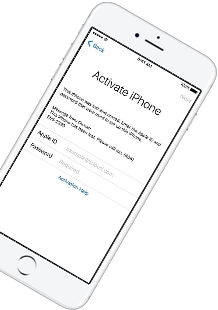
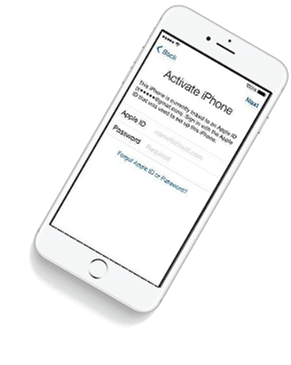
iCloud Spider Officially and Permanently Unlock, Bypass & Remove iCloud Activation Lock on your iPhone 11 Pro / 11 Pro Max, 12 / 12 Mini, 12 Pro / 12 Pro Max, 13 / 13 Mini, 13 Pro / 13 Pro Max, 14 / 14 Plus, 14 Pro / 14 Pro Max, 11, 11 Pro, X, 8, 8 Plus, 7 Plus, 7, 6S Plus, 6S, 6, SE, 5S, 5C, 5, 4S, 4 and all iPad 4,3,2 Air, Pro and iWatch Versions.
iCloud Spider can be used to remove iCloud Lock permanently from your device without the fear of being locked again.
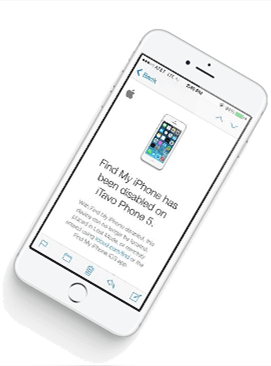
No matter who is previous owner of the iPhone, iCloud Spider will just disable "Fiand My Phone" feature from the device.
iCloud Spider use built-in proxies and private servers and data enctyption to unlock your device so you no traces are left.
You can easily update your device's iOS version without any problem after unloking it with the iCloud Spider.
With iCloud Spider you have the flexibility to unlock your device either via USB or by using your phone IMEI number.


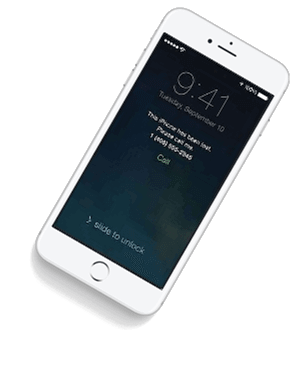
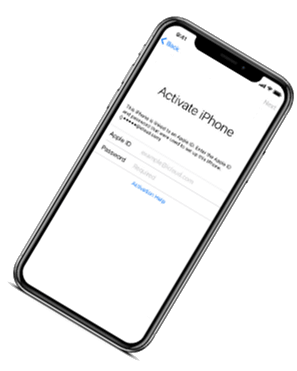
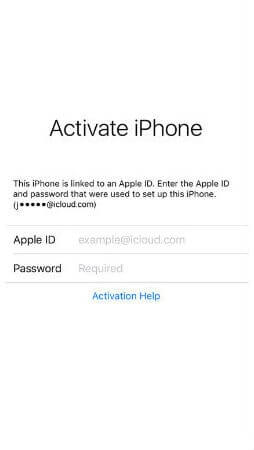
If you have forgotten your apple id or you bought a used iPhone from ebay/walmart and the original owner has enabled "Find My Phone" feature accidentally or purposely and you don't know how to contact him or unlock your device then you are on right place.
iCloud Spider will not only help you to unlock your iPhone but it will also remove any icloud activation lock (e.g. Find My Phone) from your device forever.
Unlocking iPhone made easy with iCloud Spider. You don't have to install iCloud Spider on your PC to unlock your iPhone/iPad. Read the instructions below to learn how to use our icloud unlock software.
Download & run iCloud Spider on your PC. (You can unlock just one device by IMEI in free version of iCloud Spider)
Connect your locked iphone/ipad to your pc via usb or type your phone's imei in iCloud Spider and hit the "Unlock This Device" button.
iCloud Spider will permanently unlock your locked iphone/ipad in just few minutes depending on your internet speed.
iCloud Spider is multi-devices & multi-OS supported. You can download & use IS(iCloud Spider) on Windows and MAC. iOS and Android version will be added soon.
Use iCloud Spider Web-based Tool: Click Here
Use Online FRP Lock Removal App: Click Here
See the working of our icloud unlocker tool below. It's easy to unlock any iPhone/iPad within seconds.
Unlock any iCloud locked device with the ease of our iCloud activation lock removal software at very affordable prices.
See Electrical Schulversion is a powerful electrical design software that allows users to create, simulate, and analyze electrical circuits and systems. With its intuitive interface and robust features, this software is perfect for students and educators who want to learn and teach electrical engineering concepts in a hands-on and interactive way.
: All printed layouts contain a prominent "Schullizenz" (School License) watermark.
Instant generation of parts lists for real-world project planning.
Don't miss out on this exclusive opportunity to unlock the power of electrical design in your classroom. Download See Electrical Schulversion today and start exploring the world of electrical engineering in a fun and interactive way.
Create multi-page electrical schematics seamlessly. see+electrical+schulversion+download+exclusive
The Schulversion is more than just a trial; it is a dedicated educational tool designed to mirror the professional , Standard , and Advanced tiers used in the industry. It allows students to:
To ensure you receive an uncorrupted, malware-free installation payload, always utilize certified academic distribution portals like the Academic Software Helpcenter . Step 1: Clear Conflicting Applications
To access the exclusive student download link, you typically need to provide proof of enrollment. This can be achieved through:
SEE Electrical Schulversion is a tailored software package designed specifically for academic institutions, vocational schools, and universities. It allows future electrical engineers and technicians to learn circuit design, cabinet layouts, and schematics on the same platform used by global corporations. The educational version typically includes: See Electrical Schulversion is a powerful electrical design
Educational institutions can face severe compliance penalties for hosting or allowing pirated software on their networks.
Getting the software is only half the battle. The exclusive access also extends to high-quality, free learning resources. You are not alone in this journey.
As part of this exclusive offer, educational institutions can download See Electrical Schulversion for free. This special version of the software is designed for educational use only and is not available for commercial use.
Click on the academic registration link for SEE Electrical Schulversion. Instant generation of parts lists for real-world project
Right-click the downloaded ZIP archive and select Extract All .
A massive database of electrical symbols compliant with international standards (IEC, IEEE, and ANSI).
In the license configuration menu, click "Take All Available" to download and unlock every premium module tied to your academic tier.
Automatic component numbering, real-time wire cross-referencing, and instant terminal matrix generation.
This edition includes several modules that allow for a complete engineering lifecycle simulation:

See Electrical Schulversion is a powerful electrical design software that allows users to create, simulate, and analyze electrical circuits and systems. With its intuitive interface and robust features, this software is perfect for students and educators who want to learn and teach electrical engineering concepts in a hands-on and interactive way.
: All printed layouts contain a prominent "Schullizenz" (School License) watermark.
Instant generation of parts lists for real-world project planning.
Don't miss out on this exclusive opportunity to unlock the power of electrical design in your classroom. Download See Electrical Schulversion today and start exploring the world of electrical engineering in a fun and interactive way.
Create multi-page electrical schematics seamlessly.
The Schulversion is more than just a trial; it is a dedicated educational tool designed to mirror the professional , Standard , and Advanced tiers used in the industry. It allows students to:
To ensure you receive an uncorrupted, malware-free installation payload, always utilize certified academic distribution portals like the Academic Software Helpcenter . Step 1: Clear Conflicting Applications
To access the exclusive student download link, you typically need to provide proof of enrollment. This can be achieved through:
SEE Electrical Schulversion is a tailored software package designed specifically for academic institutions, vocational schools, and universities. It allows future electrical engineers and technicians to learn circuit design, cabinet layouts, and schematics on the same platform used by global corporations. The educational version typically includes:
Educational institutions can face severe compliance penalties for hosting or allowing pirated software on their networks.
Getting the software is only half the battle. The exclusive access also extends to high-quality, free learning resources. You are not alone in this journey.
As part of this exclusive offer, educational institutions can download See Electrical Schulversion for free. This special version of the software is designed for educational use only and is not available for commercial use.
Click on the academic registration link for SEE Electrical Schulversion.
Right-click the downloaded ZIP archive and select Extract All .
A massive database of electrical symbols compliant with international standards (IEC, IEEE, and ANSI).
In the license configuration menu, click "Take All Available" to download and unlock every premium module tied to your academic tier.
Automatic component numbering, real-time wire cross-referencing, and instant terminal matrix generation.
This edition includes several modules that allow for a complete engineering lifecycle simulation:
Our developers have now added support for iPad Pro 11.5". So download the latest version of IS to enjoy this feature...
Our developers have now added support for iPad Pro 11.5". So download the latest version of iCloud Spider...
Good News! Android & iOS versions of the iCloud Spider are in beta testing and will be available for free to our existing customers.
Here's the complete list of 25 great hidden iOS 12 features available for your iPhone, iPad and iPod touch.